

In movies, characters always use their computers without a mouse. They type at lightning speed, sometimes even with one hand, while windows open, graphs appear, and top-secret data scrolls across the screen. Obviously, this gives the impression that only movie hackers, secret agents, or NASA engineers can achieve this kind of mastery.
The reality is much simpler. On Windows, there's a whole host of keyboard shortcuts accessible to everyone. You don't need to be a computer whiz. These shortcuts save time every day, reduce unnecessary steps… and let's be honest, make you look much more comfortable with a computer, especially when you're using them on someone else's machine.
Open, navigate and move around quickly in Windows
Windows + E : instantly opens the file explorer. Simple, efficient, and always impressive when someone is searching for their folders with the mouse.
Windows + D : Shows or hides the desktop instantly. Perfect for quickly accessing a file or clearing the screen.
Alt + Tab : allows you to switch between applications without leaving the keyboard. Once mastered, it's hard to do without.
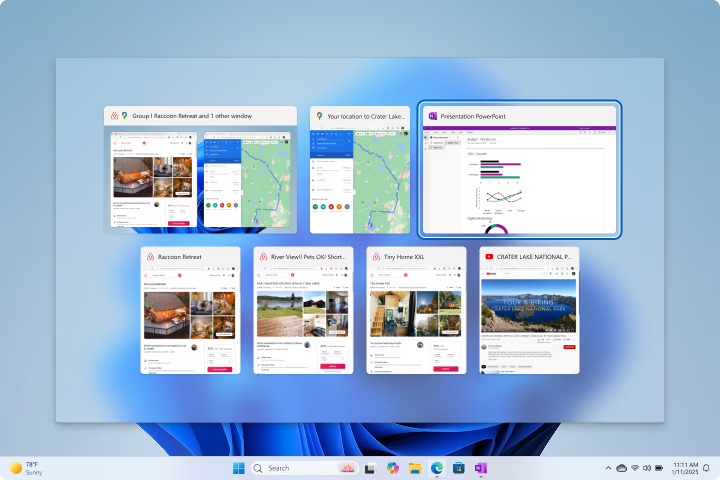
Windows + Tab Displays all open windows in full screen. Also shows virtual desktops.
Copy, paste, cut and select without thinking
Ctrl + C : copies a file, a folder, or text.
Ctrl + V : paste what has been copied.
Ctrl + X : cuts an element to move it elsewhere.
Ctrl + A : selects everything in a single gesture.
These shortcuts work almost everywhere on Windows and represent a huge time saving on a daily basis.
Remove faster and cleaner
Delete : sends an item to the trash.
Shift + Delete This permanently deletes a file or folder, bypassing the Recycle Bin. Windows asks for confirmation, but after that, there's no way to undo the action.
Use with caution, but extremely practical for cleaning.
Manage windows like a pro
Alt + F4 : immediately closes the active window.
Windows + left/right arrow : anchors the window to one side of the screen to work on two applications in parallel.
Windows + up/down arrow : maximizes or reduces a window.
These shortcuts are perfect for multitasking and give a real sense of control over the system.
Search and access settings in seconds
Windows + S : opens Windows search to launch a program or find a file.
Windows + I : directly opens the system settings, without going through the menus.
Ideal for getting straight to the point and avoiding clicking everywhere.
Bonus shortcuts that always make a nice impression
Windows + L : immediately locks the computer.
Windows + Shift + S : launches the screenshot tool to select a specific area.
Ctrl + Shift + Esc : opens the task manager directly, without any detour.
Not essential, but clearly practical… and always stylish to use.
Conclusion
Windows keyboard shortcuts aren't for playing movie hackers, but for stopping you from wasting time on repetitive actions. By mastering just a few of them, using a PC becomes smoother, more natural, and much more enjoyable.
No need to learn everything at once. Just adopt one or two, use them regularly, and they'll quickly become second nature. And the bonus is that, in addition to saving time, you'll always come across as someone who really knows what they're doing in front of a computer.